Your Camera's Sensor Is Colorblind. Here Is How It Fakes Color
What does a sensor actually record?
A 61-megapixel full-frame sensor is a grid of roughly 61 million tiny light meters, each reporting a single number: how much light it collected. Brightness, not color. A red photon and a blue photon each land as charge with no label, so the raw signal carries no way to tell them apart. One photosite, one number, one shade of gray. To build a color photograph, the camera must introduce color before light reaches the silicon.
How does the Bayer mosaic work?
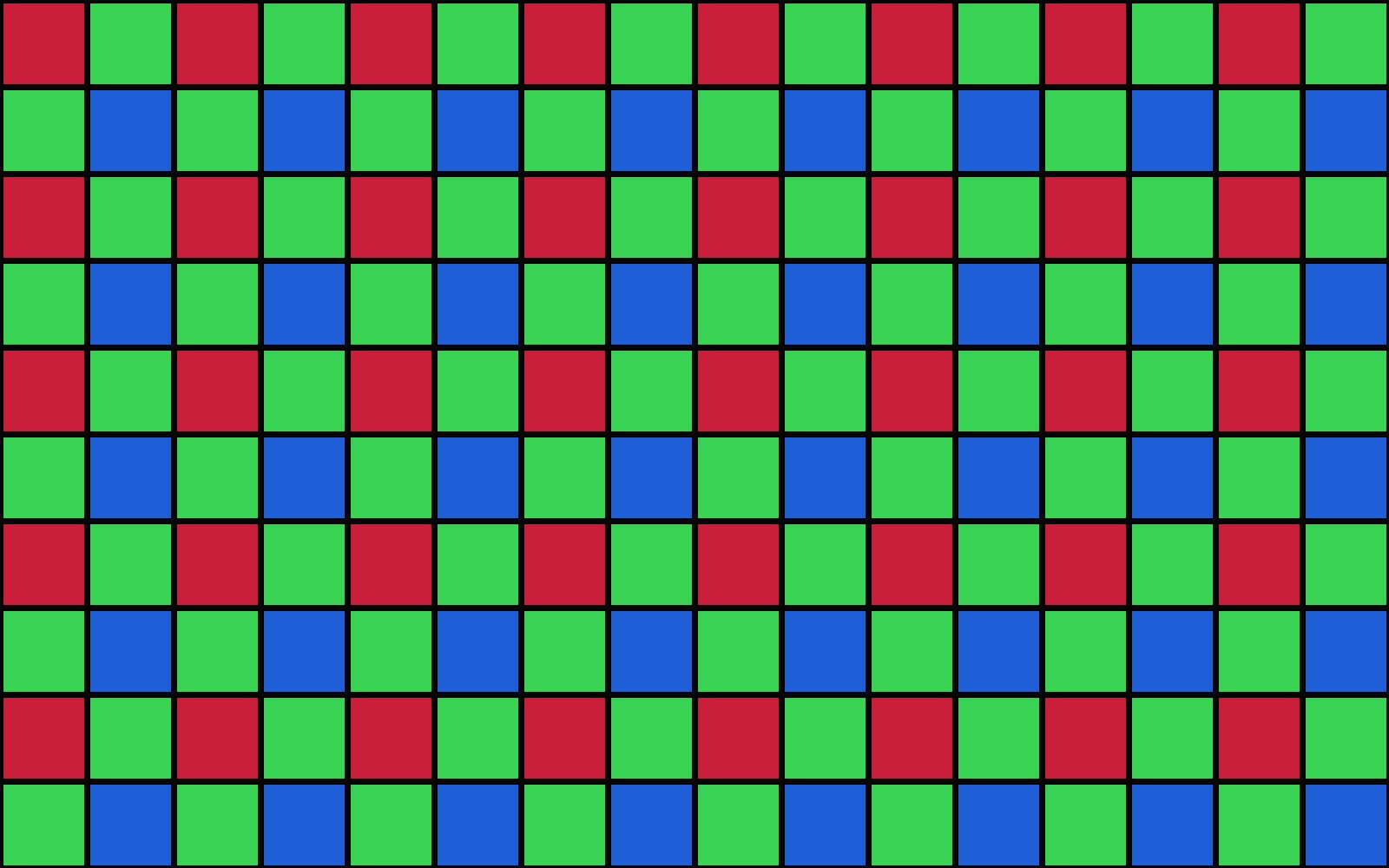
The fix is a color filter array, microscopic colored windows bonded over the sensor so one tiny filter sits above each photosite. The pattern nearly every camera uses came from Bryce Bayer of Eastman Kodak, patented in 1975 as U.S. Patent 3,971,065. A repeating two-by-two block: one red, one blue, two green, so the mosaic is 50 percent green, 25 percent red, 25 percent blue.
That maps onto how you see. Human vision leans heavily on green, so Bayer gave the luminance signal, the detail your brain judges sharpness by, twice the density. Side effect: the green channel is usually the cleanest of the three, which is why a black-and-white conversion leaning on green often beats a flat average.
What is demosaicing, and why does it matter?
Here is the catch. After the exposure, every photosite has recorded exactly one color, so your raw file is missing two-thirds of the color data at every location. Demosaicing fills the gaps: the converter estimates the two colors each photosite did not record by reading its neighbors. Educated guesswork, and different algorithms guess differently.
So the same raw file can look sharper or cleaner in Lightroom, Capture One, or DxO. The megapixel number on the box hides it: a 61-megapixel Bayer sensor never measured 61 million full-color pixels. It measured 61 million single-color values and interpolated the rest. The sampling grid has a failure mode too: moire, rainbow ripples in tight fabric and brick walls where the scene's pattern beats against the sensor's grid.
Why it matters for you
The green channel carries the cleanest detail, so for black and white, start there instead of averaging. When moire appears on fabric, it is the filter grid beating against the pattern, and the fix is moire reduction in your raw converter. And when the same raw file looks different in two converters, you now know why: you are comparing two educated guesses about colors your camera never actually saw.